Azure account setup
Project Overview
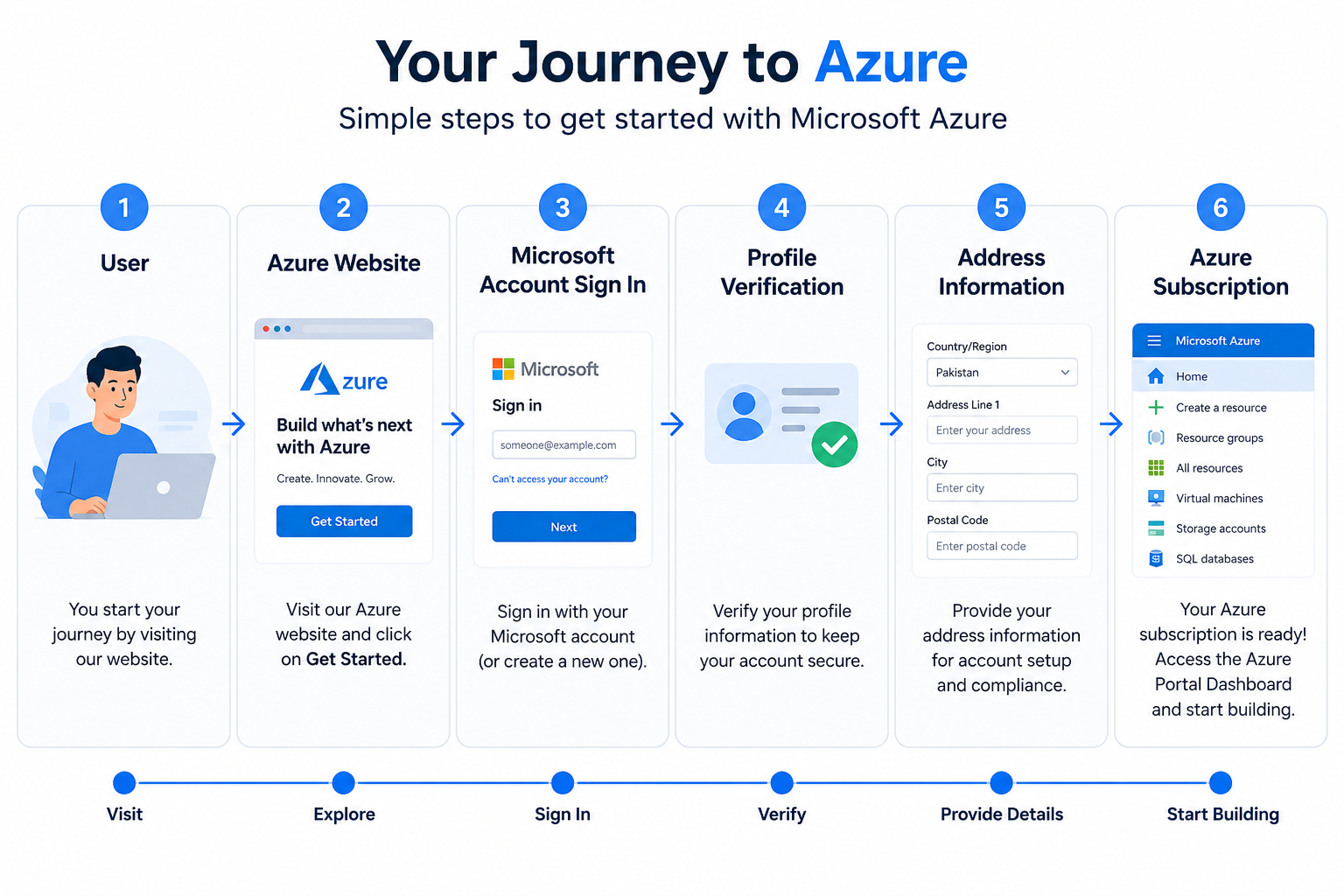
This guide demonstrates how to create an **Azure Free Account**, which provides access to Microsoft Azure cloud services for learning, development, and experimentation.
By following this guide, you will:
- Create a Microsoft Azure account
- Verify your identity
- Complete profile information
- Configure address details
- Access the Azure Portal
- Receive USD 200 free credits (eligible regions only)
- Start using Azure cloud services
Architecture
Prerequisites
Before creating an Azure account, ensure you have:
- Microsoft Account (Outlook/Hotmail/Gmail)
- Mobile Number
- Valid Address
- Credit/Debit Card (for identity verification if required)
- Internet Connection
Steps to Create an Azure Free Account
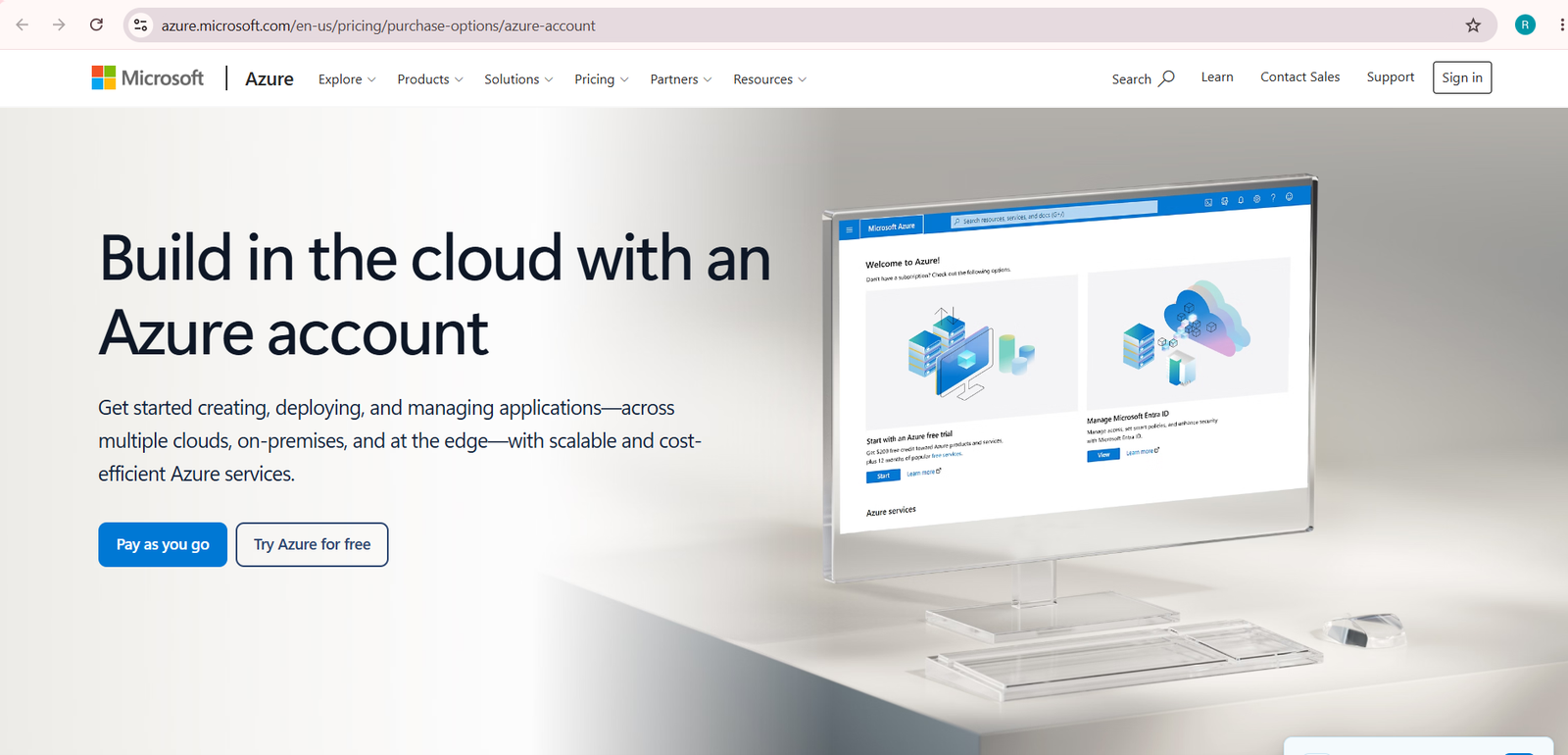
Step 1 — Open Azure Website
Visit the Azure website.
Click Try Azure for free
This option starts the Azure Free Account registration process.
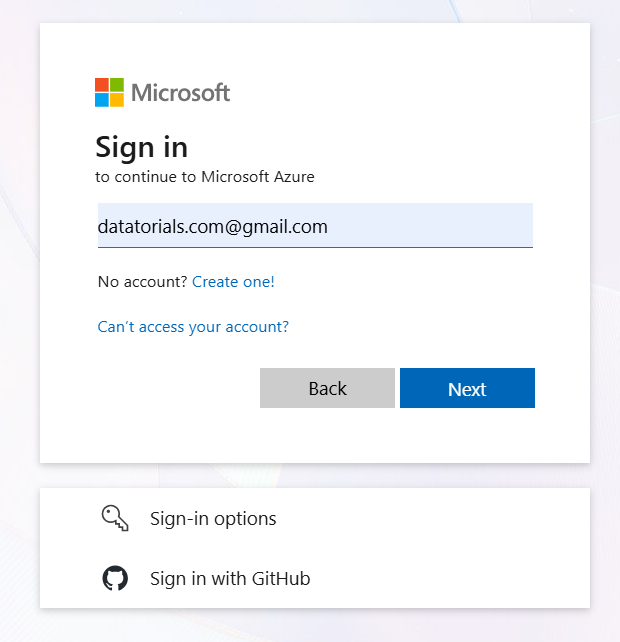
Step 2 — Sign in with Microsoft Account
Enter your Microsoft email address.
Click Next.
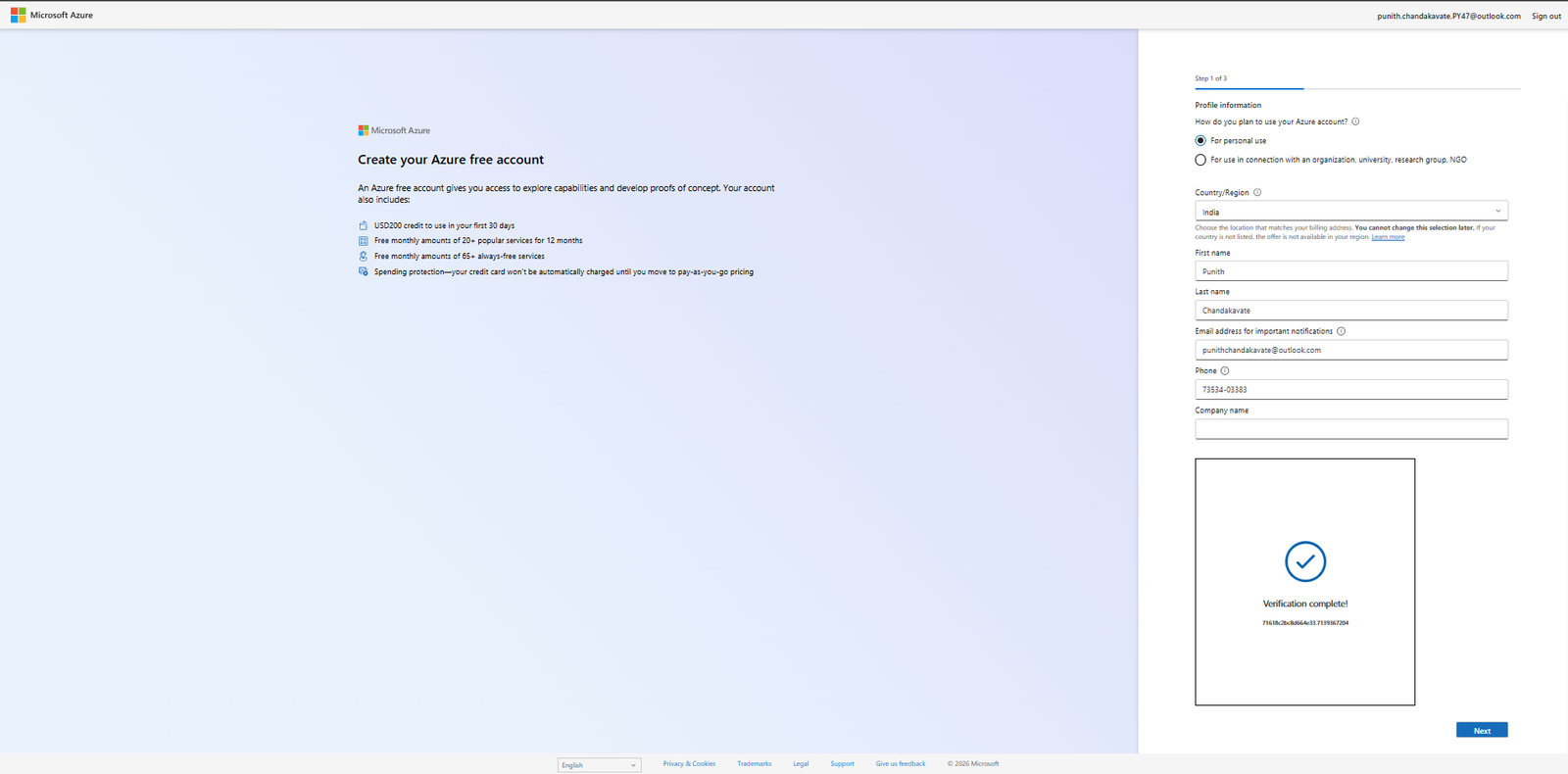
Step 3 — Complete Profile Information
Provide the following details:
- Account Type
- Country/Region
- First Name
- Last Name
- Email Address
- Phone Number
Complete the verification process.
Click Next.
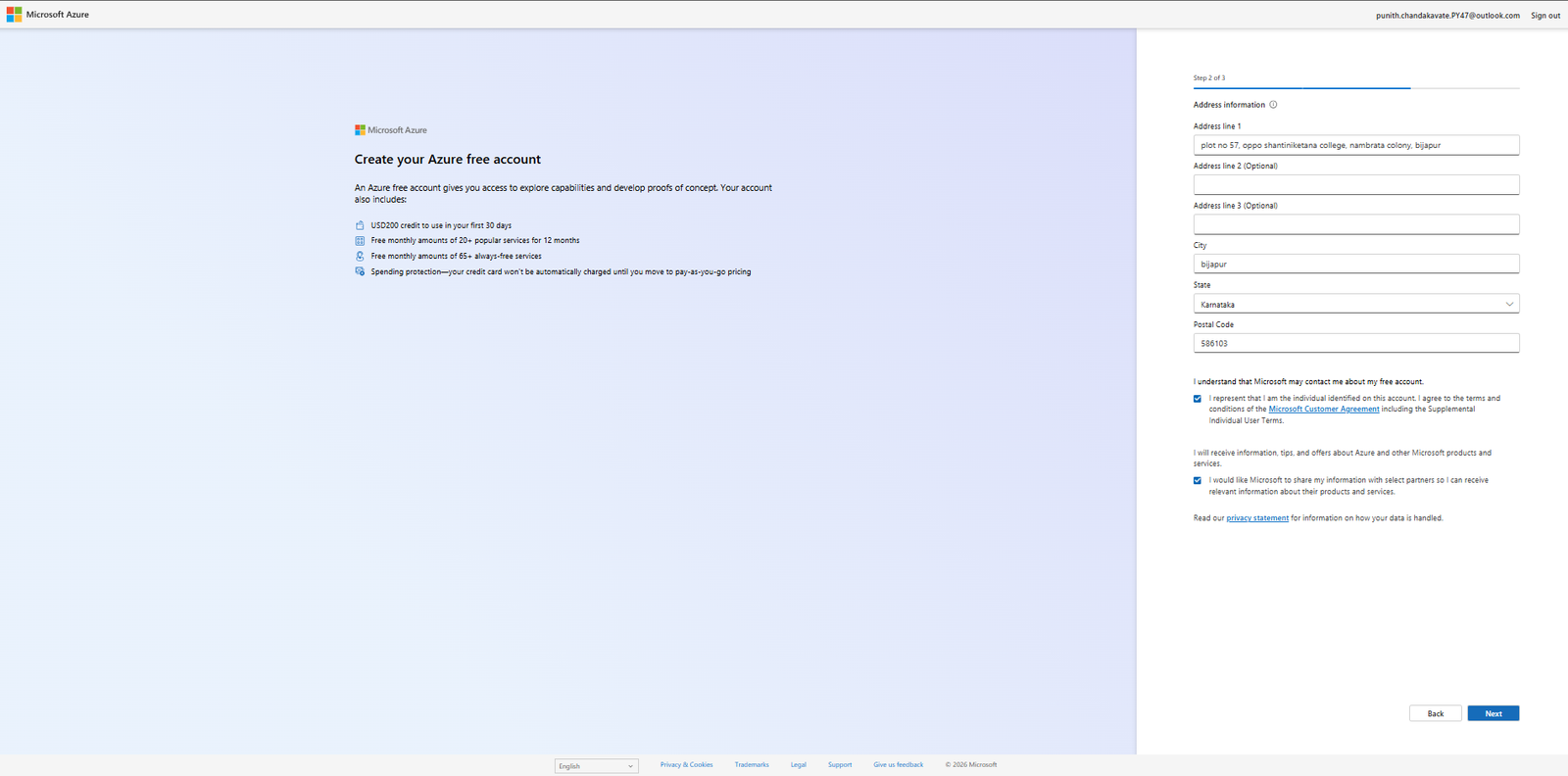
Step 4 — Enter Address Information
Fill in your address details.
Required information includes:
– Address
– City
– State
– Postal Code
Accept the Microsoft terms and conditions.
Click Next.
Step 5 — Azure Account Created Successfully
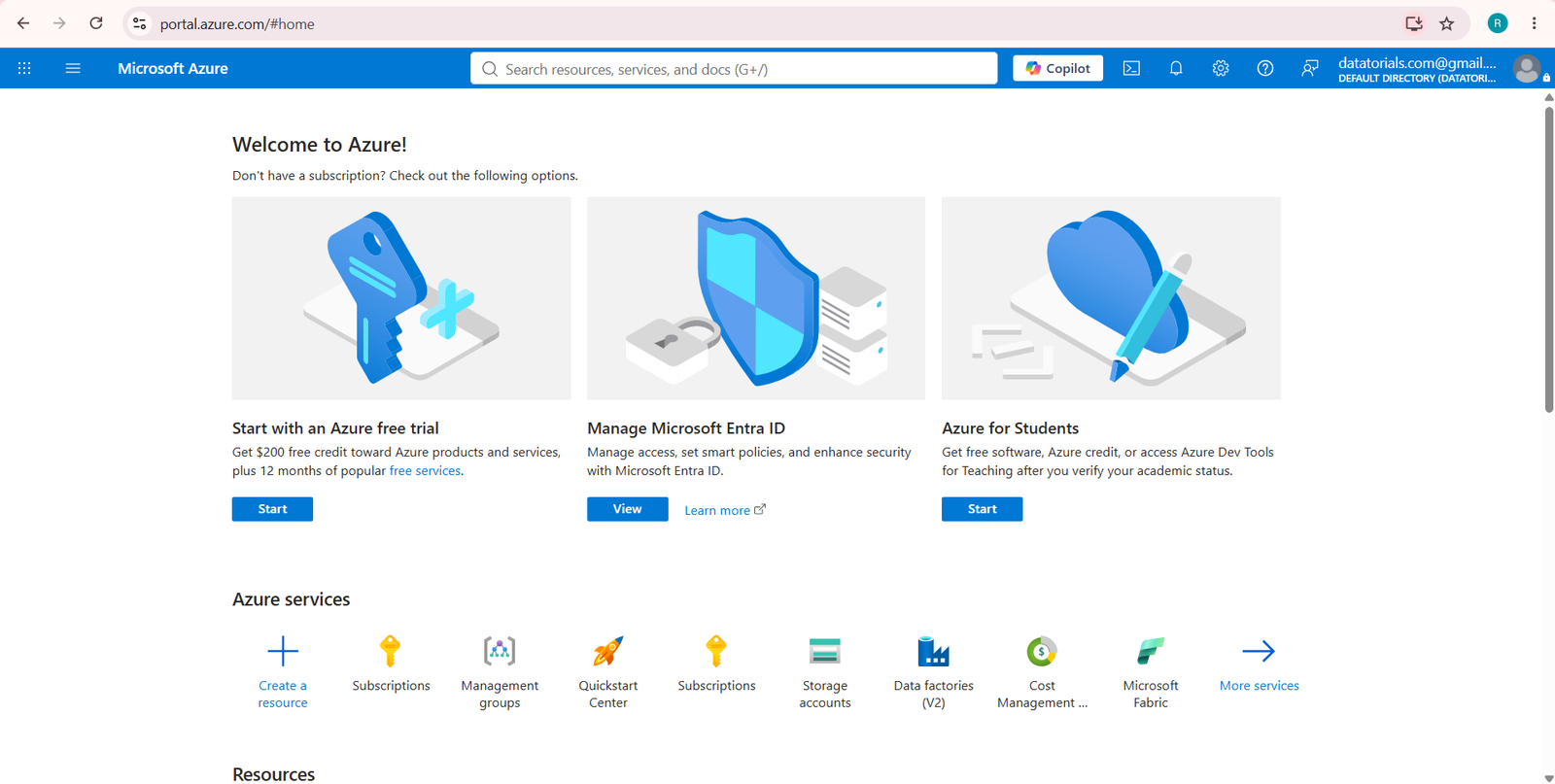
After successful verification, Azure creates your subscription.
You will be redirected to the Azure Portal dashboard.
You’ll receive:
Azure Free Subscription
USD 200 Free Credits (eligible offers)
Access to Azure Services
Azure Services You Can Explore
- Azure Virtual Machines
- Azure Storage Account
- Azure SQL Database
- Azure Databricks
- Azure Data Factory
- Azure Synapse Analytics
- Azure Functions
- Azure Kubernetes Service (AKS)
- Azure App Service
- Azure Monitor