Azure Databricks Setup
Azure Databricks Workspace Setup
Project Overview
This guide walks you through creating and configuring an Azure Databricks Workspace using the Azure Portal.
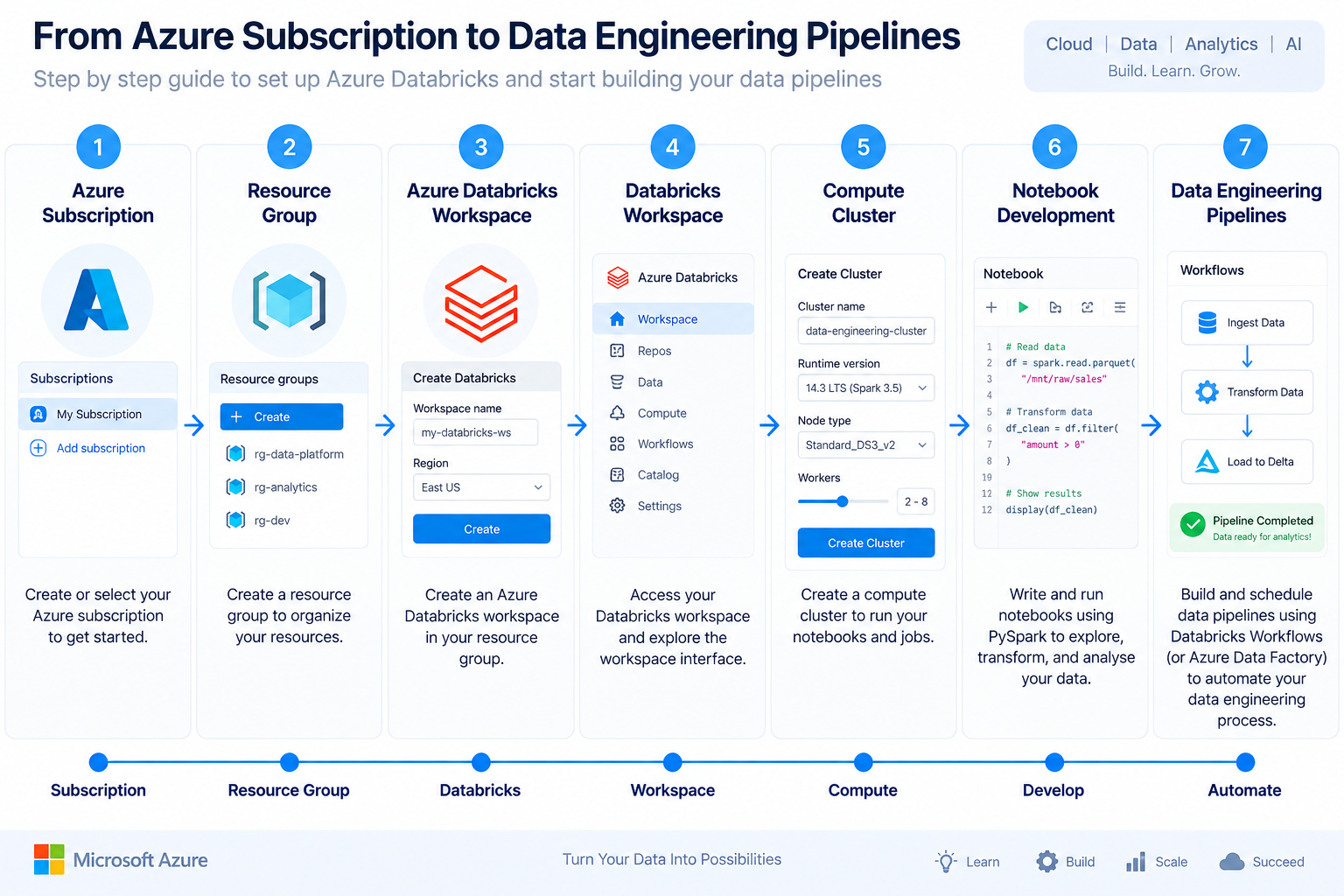
Azure Databricks is a cloud-based unified analytics platform built on Apache Spark that enables Data Engineering, Data Science, Machine Learning, and AI workloads.
By completing this guide, you will:
- Create a Resource Group
- Deploy an Azure Databricks Workspace
- Configure Workspace Settings
- Launch the Databricks Workspace
- Create your First Compute Cluster
- Prepare the environment for PySpark development
Architecture
Prerequisites
Before creating an Azure Databricks Workspace, ensure you have:
- Azure Subscription
- Azure Free Account or Pay-As-You-Go Subscription
- Resource Group
- Internet Connection
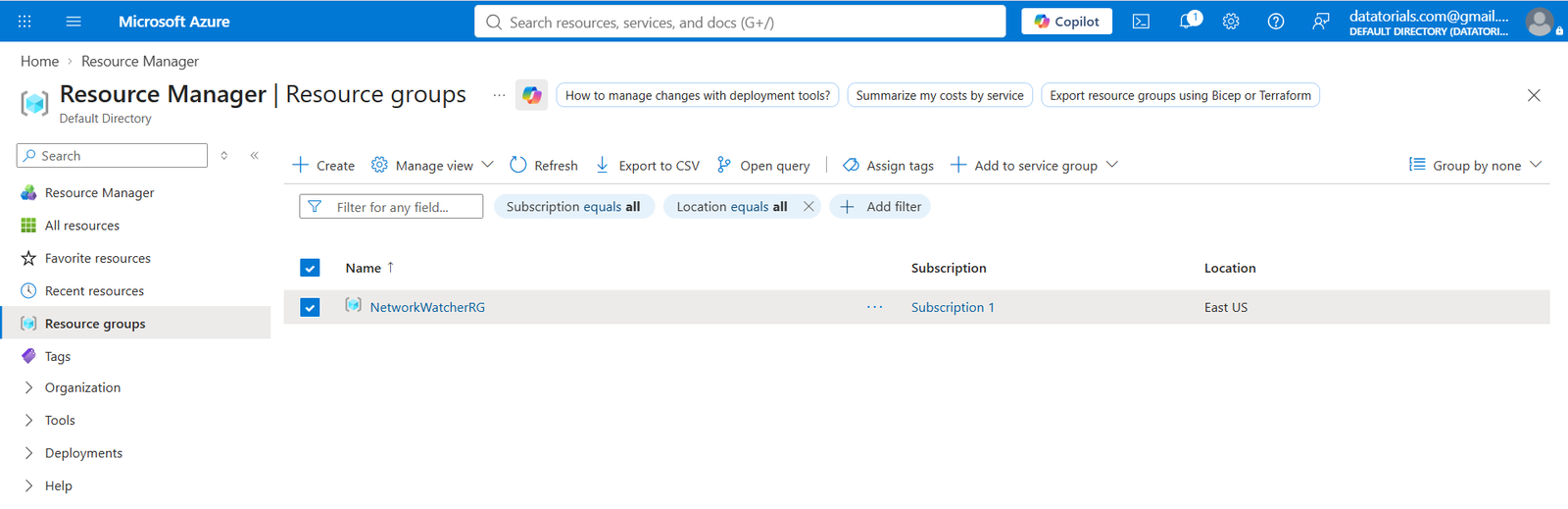
Step 1 — Create a Resource Group
Navigate to:
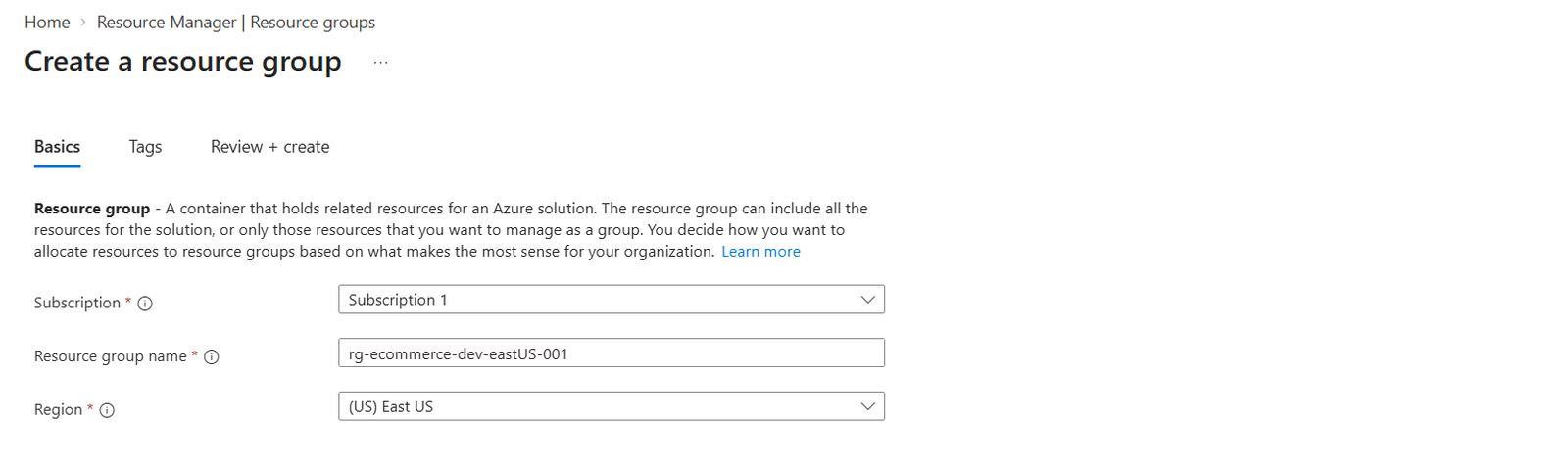
Provide the following information:
| Property | Value |
|---|---|
| Subscription | Azure Subscription |
| Resource Group | rg-ecommerce-dev-eastUS-001 |
| Region | East US |
Click Review + Create.
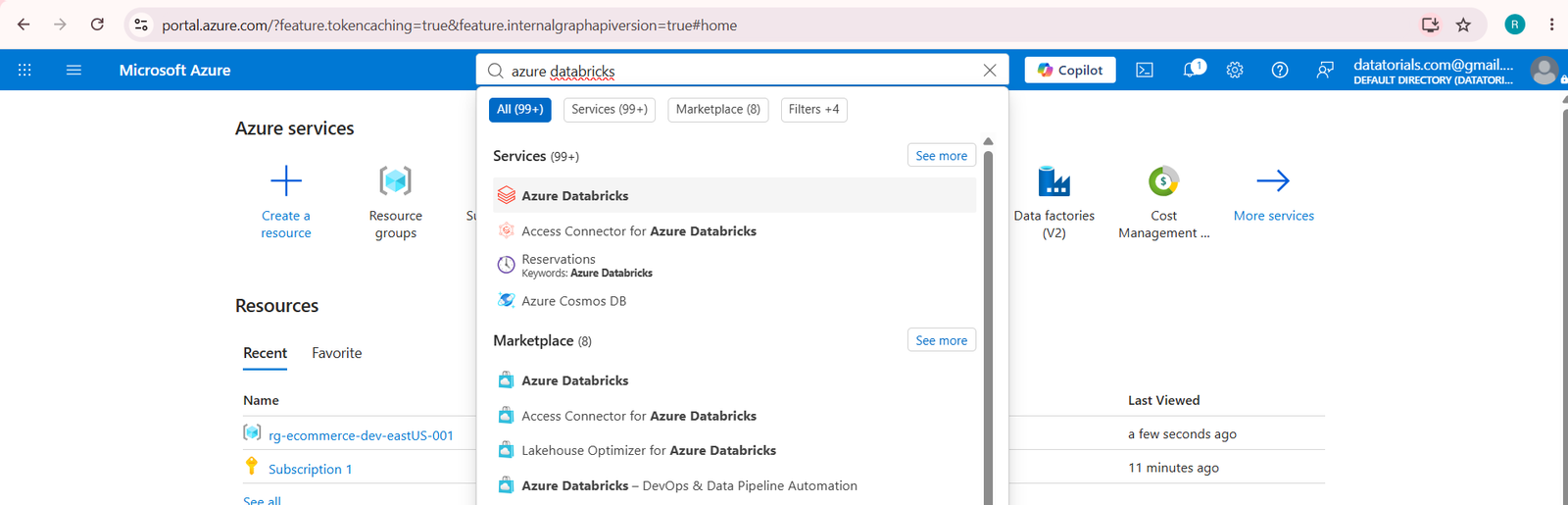
Step 2 — Search for Azure Databricks
From the Azure Portal search bar:
- Search Azure Databricks & Select
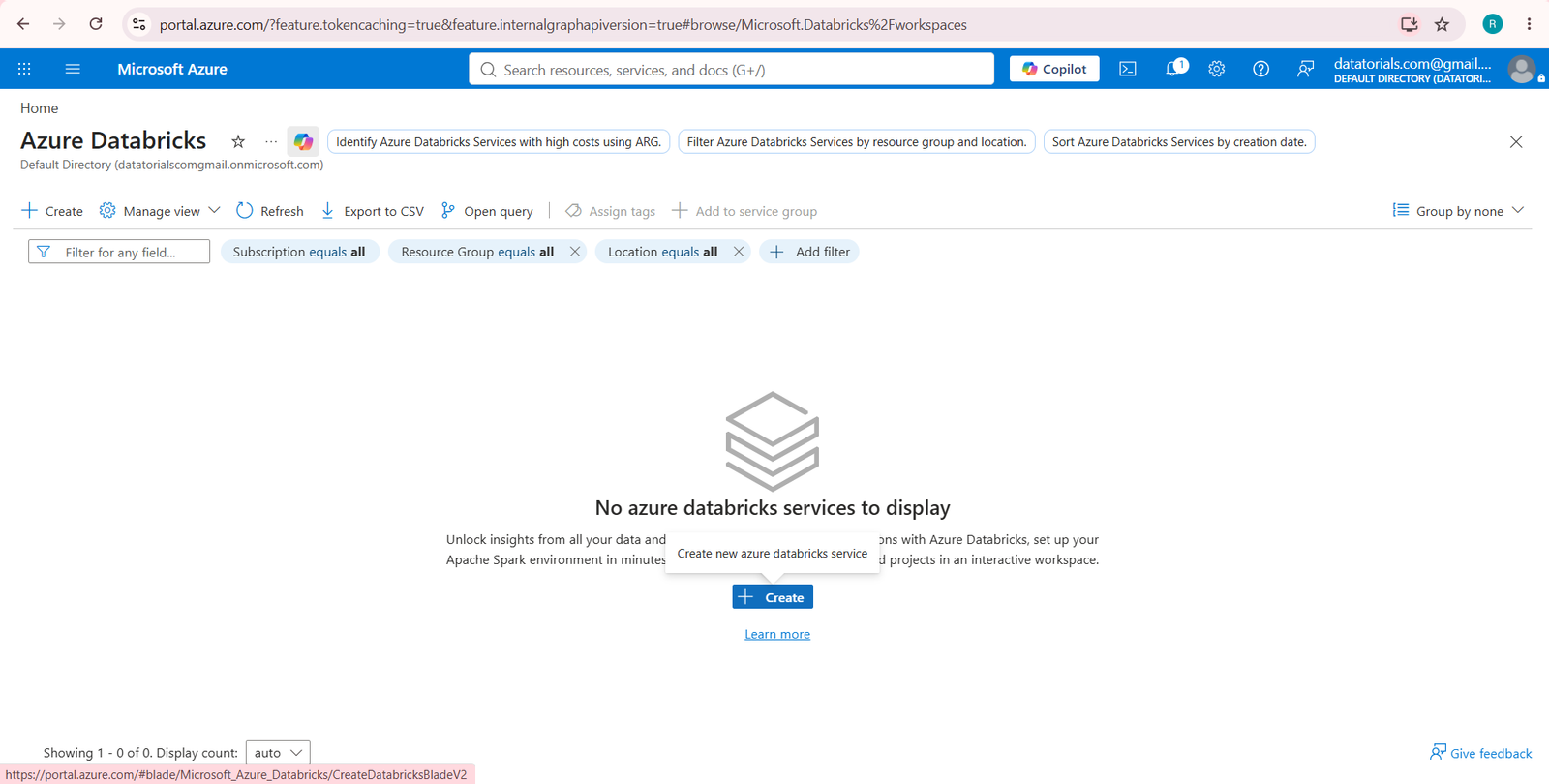
Step 3 — Create Azure Databricks Workspace
Click Create
to deploy a new Azure Databricks Workspace.
Step 4 — Configure Workspace
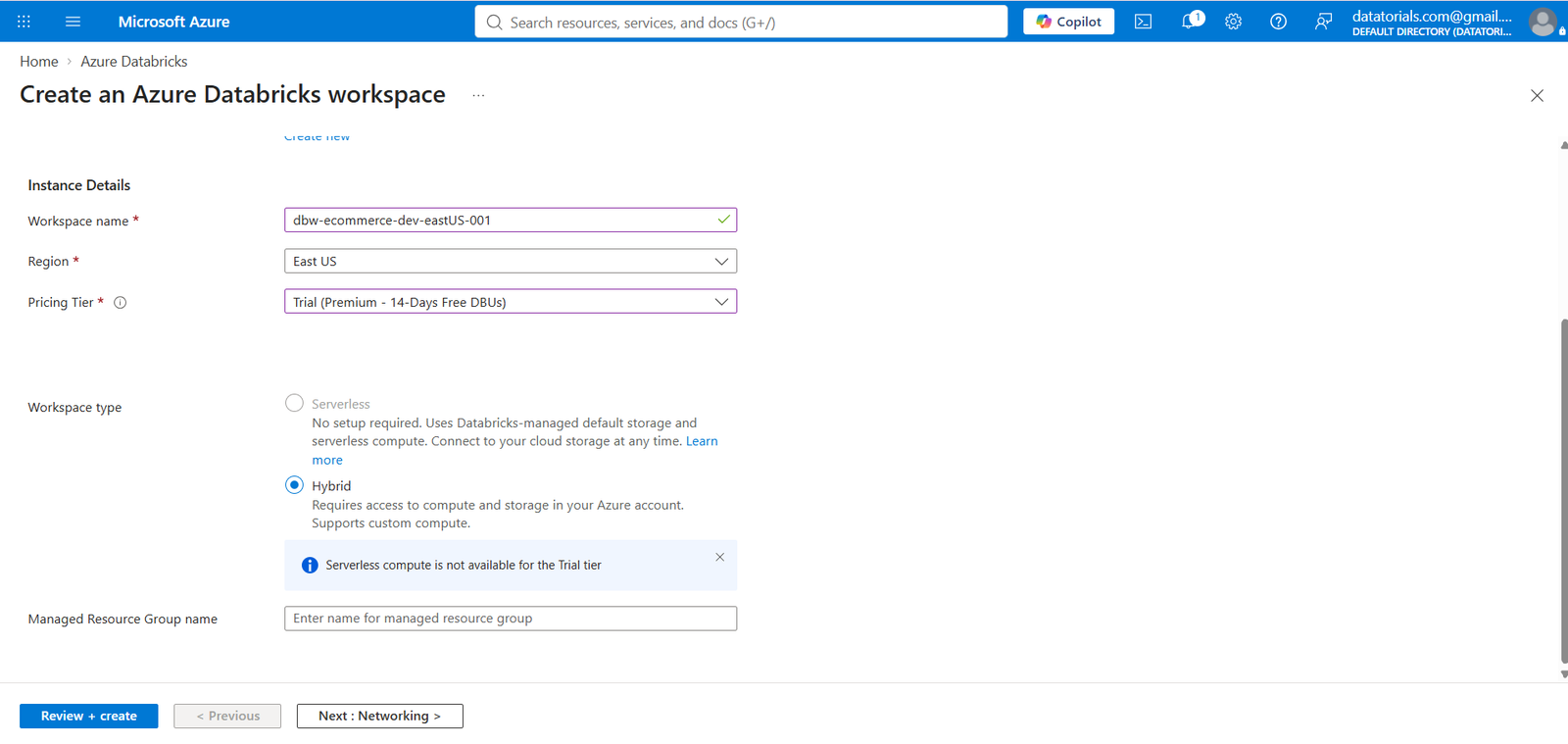
Fill in the following details.
Project Details
| Property | Value |
|---|---|
| Subscription | Azure Subscription |
| Resource Group | rg-ecommerce-dev-eastUS-001 |
Instance Details
| Property | Value |
|---|---|
| Workspace Name | dbw-ecommerce-dev-eastUS-001 |
| Region | East US |
| Pricing Tier | Trial (Premium – 14 Days Free DBUs) |
| Workspace Type | Hybrid |
Click Review + Create
Step 5 — Validation
Azure validates your configuration.
Review all configuration settings.
Click Create
Step 6 — Deployment Completed
Wait until Azure completes deployment.
Status should display:
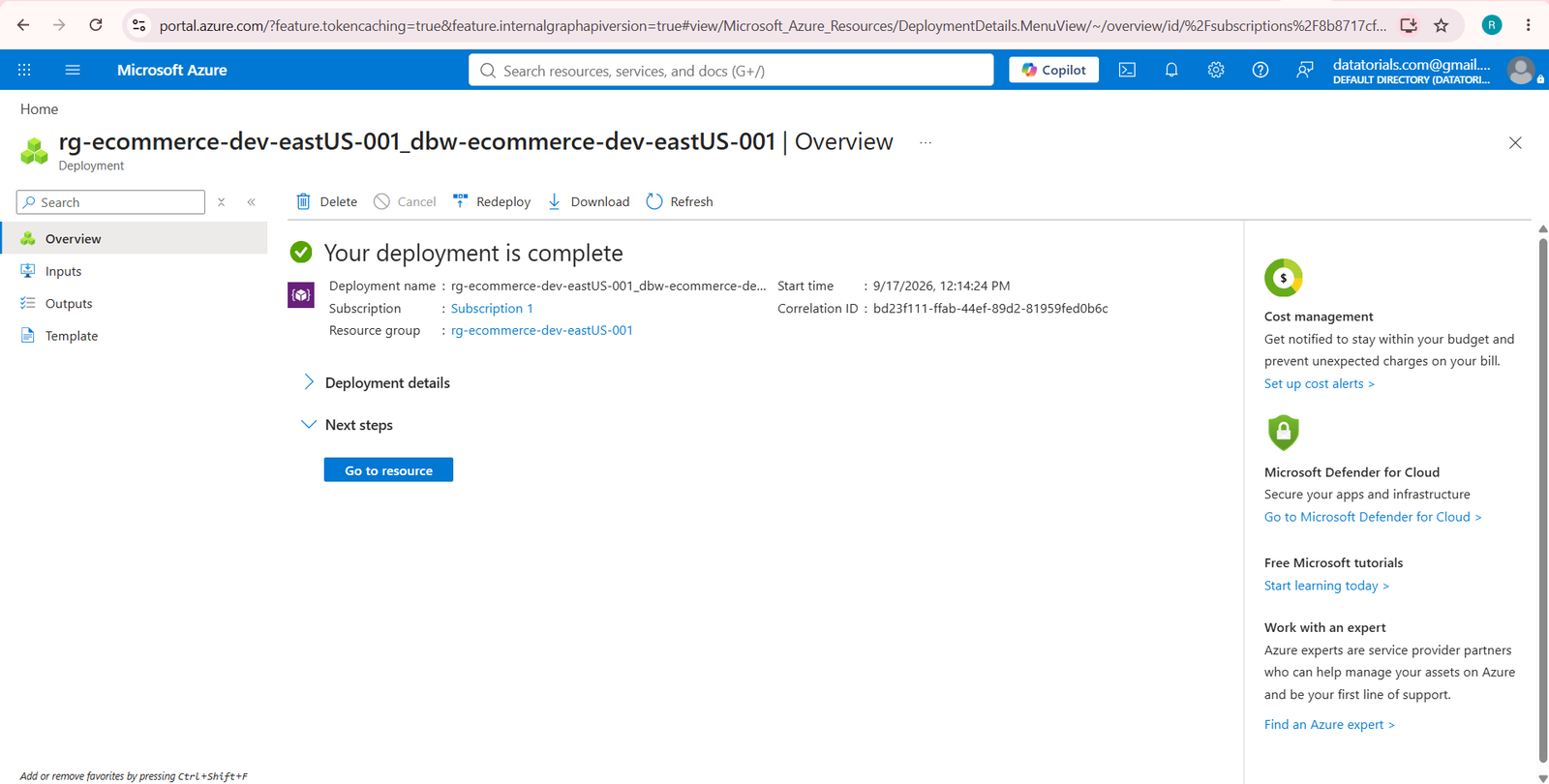
Click Go to Resource Button
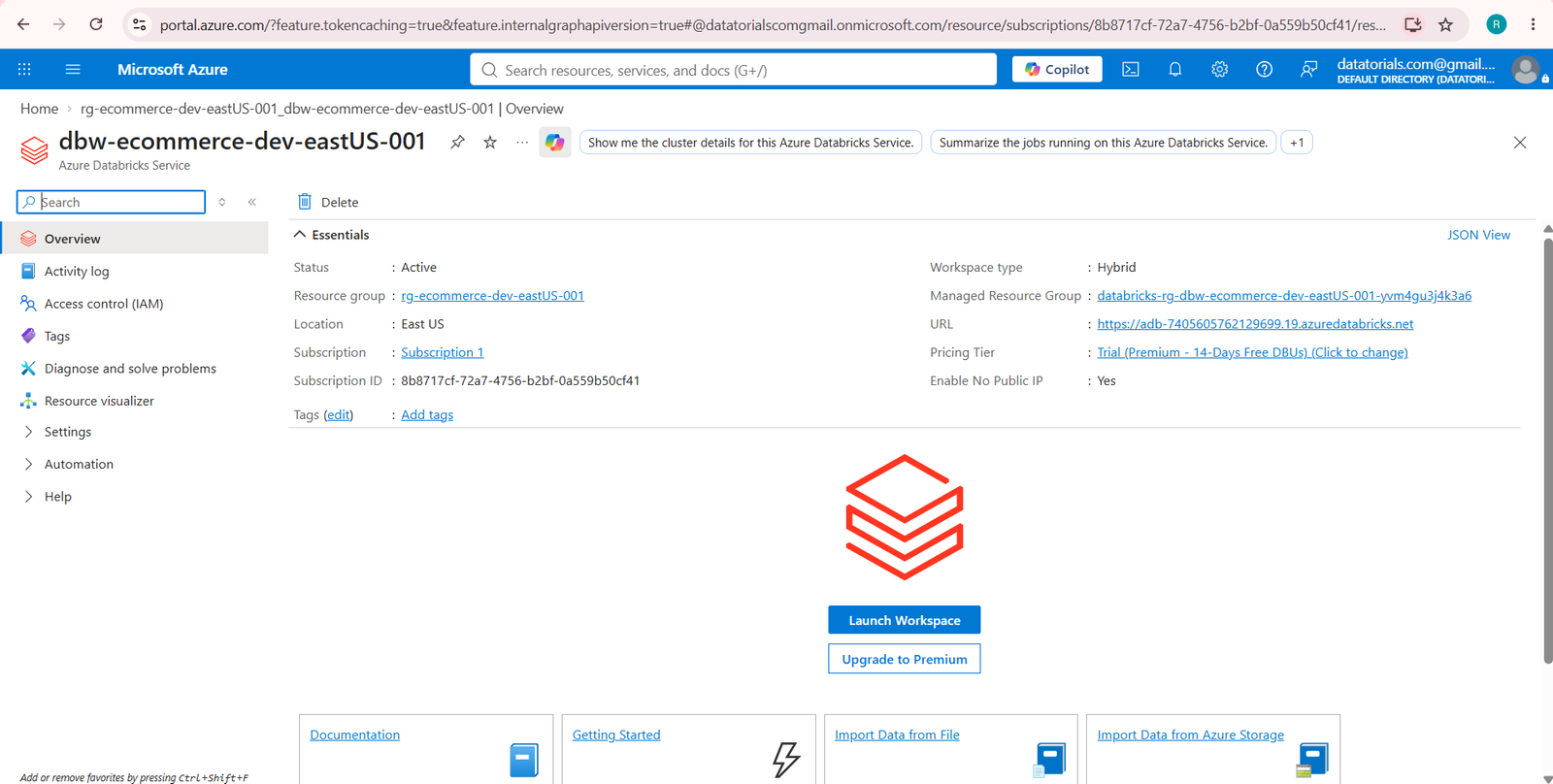
Step 7 — Launch Databricks Workspace
Inside the Azure Databricks resource page, click Launch Workspace
This opens the Databricks web interface.
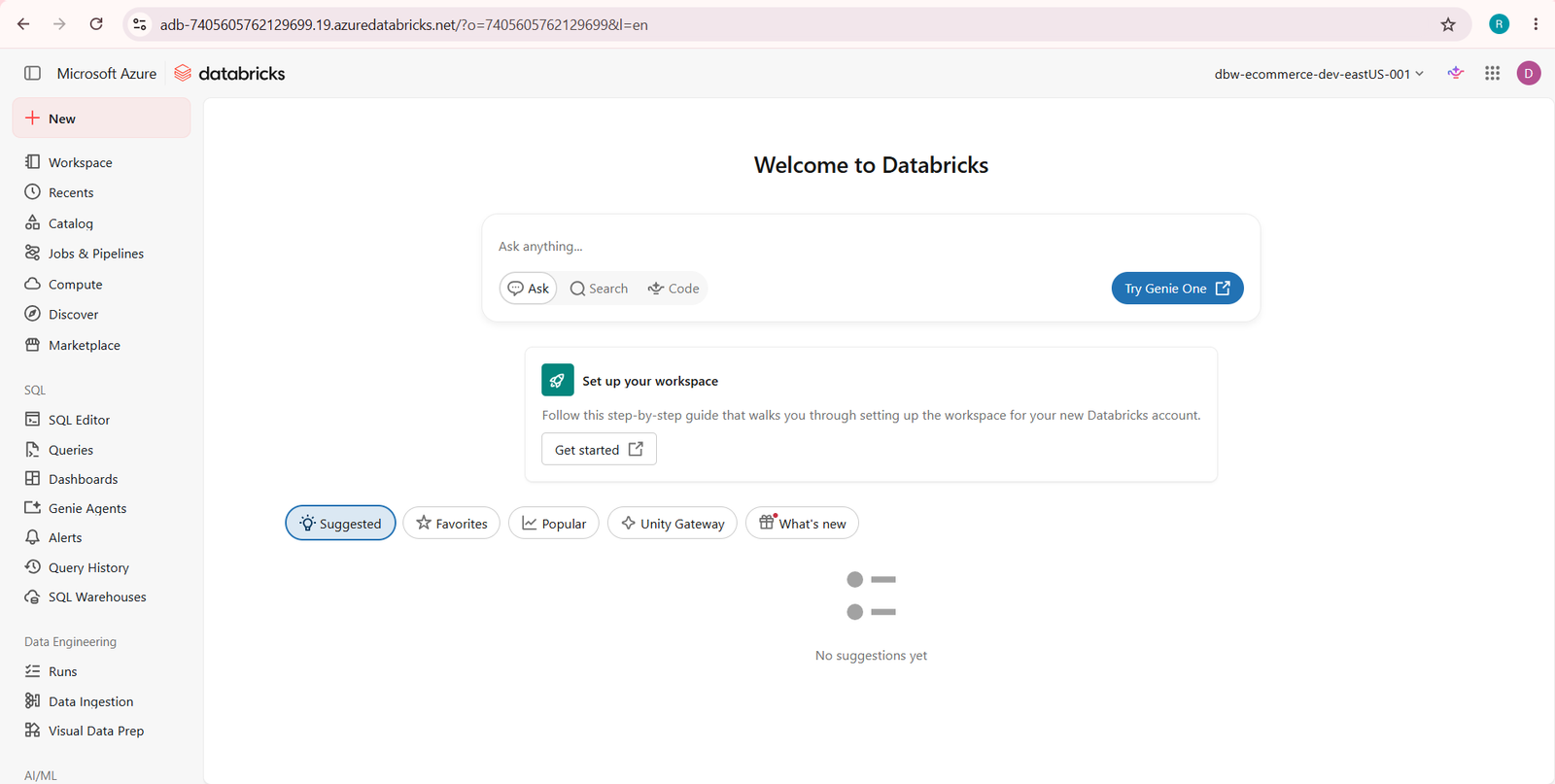
Step 8 — Azure Databricks Home
After launching, you’ll see the Databricks workspace.
Available sections include:
- Workspace
- Catalog
- Jobs & Pipelines
- Compute
- SQL Editor
- Dashboards
- AI/ML
- Models
- Serving
Step 9 — Create Compute Cluster
Navigate to: Compute └── Create Compute
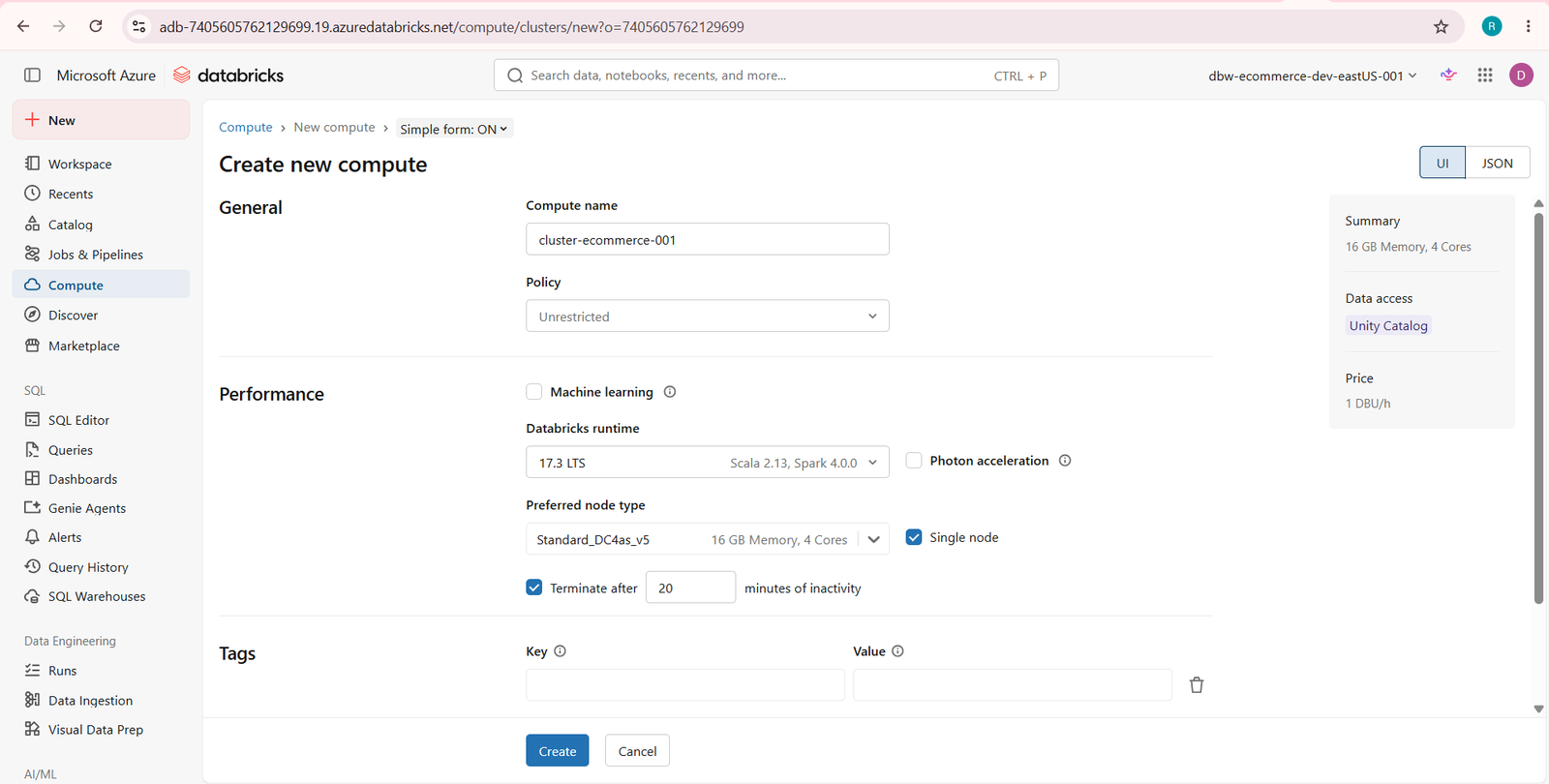
General
| Property | Value |
|---|---|
| Compute Name | ecommerce-cluster |
Performance
| Property | Value |
|---|---|
| Databricks Runtime | 17.3 LTS |
| Runtime Engine | Photon |
| Node Type | Standard_D4ds_v5 |
| Memory | 16 GB |
| vCPUs | 4 |
| Access Mode | Unity Catalog |
| Cluster Mode | Single Node |
| Auto Termination | 120 Minutes |
Click Create
Deployment Summary
| Resource | Name |
|---|---|
| Resource Group | rg-ecommerce-dev-eastUS-001 |
| Workspace | dbw-ecommerce-dev-eastUS-001 |
| Pricing Tier | Trial Premium |
| Workspace Type | Hybrid |
| Runtime | Databricks Runtime 17.3 LTS |
| Node Type | Standard_D4ds_v5 |
| Memory | 16 GB |
| vCPUs | 4 |
| Compute Mode | Single Node |
Resource Naming Convention
| Resource | Naming Pattern |
|---|---|
| Resource Group | rg—-001 |
| Workspace | dbw—-001 |
| Cluster | cluster–001 |
Example:
- rg-ecommerce-dev-eastUS-001
- dbw-ecommerce-dev-eastUS-001
- cluster-ecommerce-001
What You Learned
- Created an Azure Resource Group
- Deployed an Azure Databricks Workspace
- Configured Trial Premium Workspace
- Launched the Databricks Workspace
- Created a Single Node Compute Cluster
- Configured Databricks Runtime 17.3 LTS
- Prepared the environment for Spark and PySpark development