Q4: Find all employees whose email is missing (NULL).
Q4: Find all employees whose email is missing (NULL).
This time, we want to find employees who do not have an email address.
Our query selects all columns from the employees table and uses:
WHERE email IS NULL
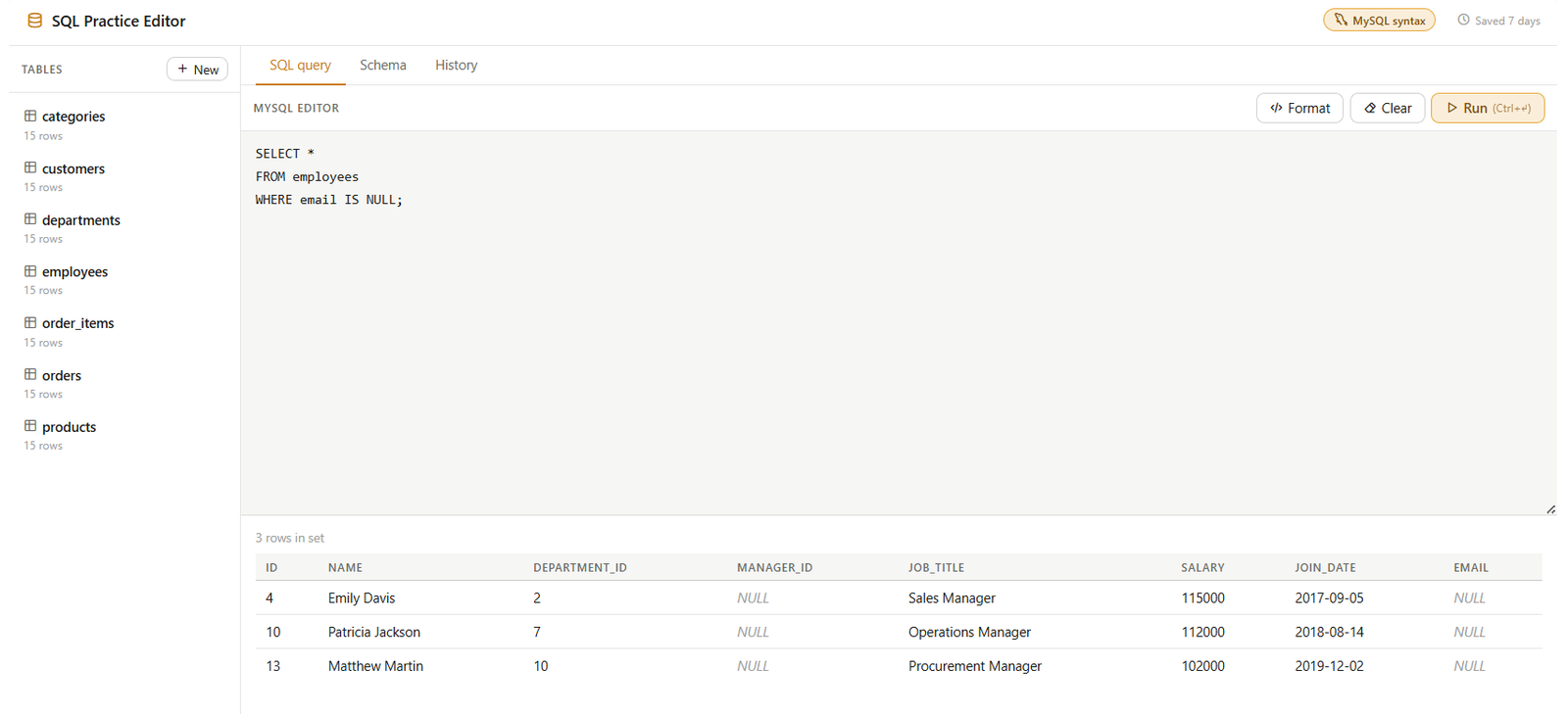
SELECT *
FROM employees
WHERE email IS NULL;
Remember, in SQL, NULL means that a value is missing or has not been provided.
So, we use IS NULL to specifically find those missing values.
Looking at the result, we get 3 employees without an email address: Emily Davis, Patricia Jackson, and Matthew Martin.
Notice that their manager_id can still contain NULL as well. That’s completely independent of the email field.
If we wanted to find employees who do have an email address, we would simply use:
WHERE email IS NOT NULL
This is a very common technique when working with real-world data because missing values are extremely common.
So remember: use IS NULL to find missing values, and IS NOT NULL to find values that are present.