Q2: Count the number of employees in each department
Q2: Count the number of employees in each department.
Here, we want to find out how many employees are in each department.
We start by selecting the department_id from the employees table.
Then we use the COUNT function:
COUNT(*) AS total_employees
SELECT department_id, COUNT(*) AS total_employees
FROM employees
GROUP BY department_id;
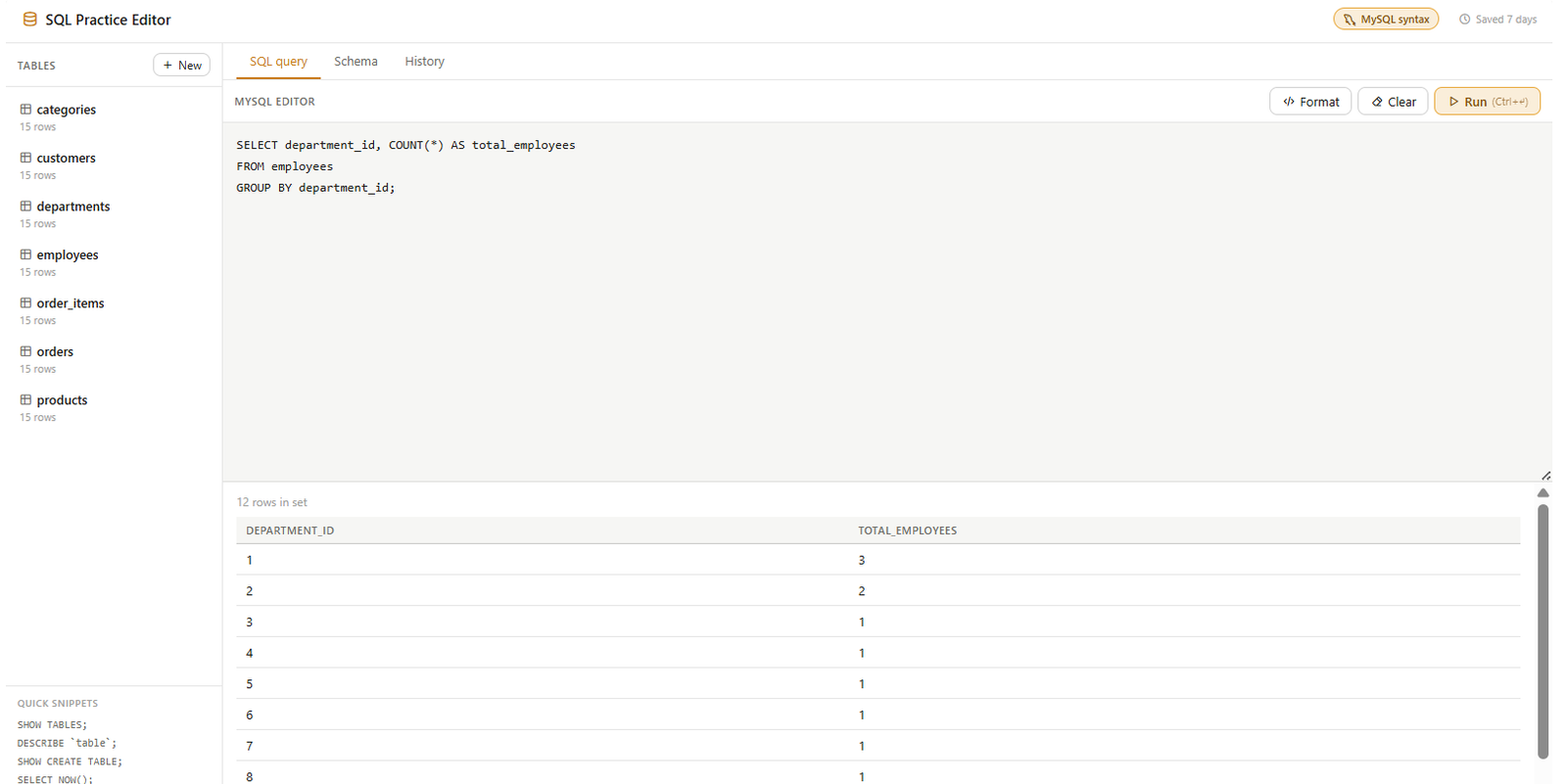
This counts the number of employees in each group.
But how does SQL know which employees belong to the same group?
That’s where GROUP BY department_id comes in.
SQL groups all employees that have the same department ID and then counts the employees in each group.
For example, department 1 has 3 employees, department 2 has 2 employees, while departments 3 through 12 each have 1 employee in our sample data.
The result contains 12 rows, because our employees currently belong to 12 different departments.
So remember: GROUP BY creates the groups, and COUNT calculates how many records are in each group.
This pattern is extremely useful for reporting and data analysis.